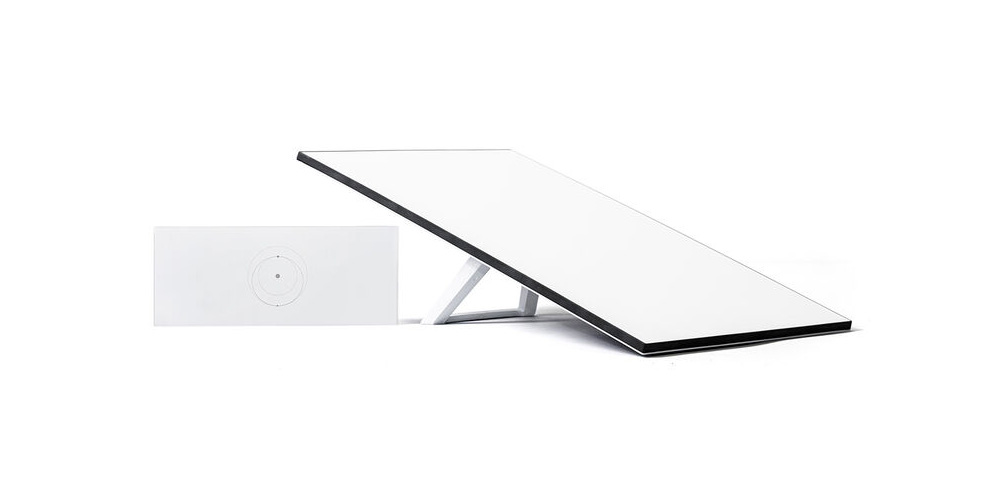
When were talking internet speeds, faster is always better. For years, internet boating options have been slim to none and the available options usually offered much slower speeds than land based connections at a much higher price. With Starlink expanding to the marine market in recent years and offering speeds that rival or exceed speeds that some boaters get at home, Starlink internet for boaters has revolutionized connectivity on the water.
We'll go through some real world examples and answer one of the most common questions we get in our stores: How fast is Starlink?
Understanding Starlink's Advertised Speeds
If you're not used to comparing internet speeds, then Starlink internet speed metrics might just seem like a wall of numbers. Here's a breakdown of the basic metrics and how they relate to internet connection performance
- Download speed: This measures how quickly data is received from the internet to your device. In Starlink's case, it is measured in Megabytes per second (Mbps). This metric will mostly affect how quickly you can download files and partially play a role in how many devices can be using the connection at the same time before speeds slow down.
- Upload speed: This measures how quickly data is transfered from your device to the internet. Like download speed, it's measured in Mbps. This metric will affect how quickly you can send files, upload attachments, post on social media and more.
- Latency: This measures how long it takes data to pass from one point on a network to another. This metric is measured in milliseconds (ms) and is a large part of your connection feeling stable. Low latency is essential for streaming, video conferences and online gaming.
With that in mind, let's dive into what Starlink speeds are for boaters.
- Starlink download speed: Advertised as 40-220+ Mbps
- Starlink upload speed: Advertised as 8-25+ Mbps
- Starlink latency: Advertised as less than 99 Ms
On the high end of the download and upload speeds, you're getting speeds that blow DSL out of the water and rival some land based connections like home 5G internet. While Starlink still can't beat the speeds or low latency of fiber connections, the speeds Starlink achieves are incredibly impressive considering that all you need is a clear view of the sky to get connected, something that land based connections can't compete with, especially when you're way offshore.
Where Starlink really beats out other boat internet options is on latency though. The typical latency of a traditional geostationary satellite connection is 500 ms, or a half a second in other words. That's 5X higher than Starlink and is too slow for most modern internet activites including streaming, gaming or video conferencing.
Starlink's low earth orbit satellites boast less than 99 ms latency which is miles ahead of traditional satellite options and is great for just about anything you'll need to do online.
Real-World Performance: Starlink Speeds You Can Expect at Sea
While Starlink is much better than other options, you should temper your expectations a bit. The advertised speeds are a best case scenario and don't account for potential interrupting factors such as weather, boat movement or other satellite line-of-sight obstructions between your boat and the satellite constellation.
What Factors Affect Starlink Speeds?
- Inclement weather: Rain, snow or even heavy fog can all affect Starlink speeds. If there's bad weather in the forecast, keep in mind that speeds may drop or your connection might be unstable
- Physical obstructions: Buildings, hills, trees, the mast, boat t-tops and more can also obstruct the line of sight. Make sure to give your Starlink dish the clearest view of the sky possible
- Distance from a constellation: While Starlink has global coverage, not all coverage is created equal. When you're far off the path of one of the constellations you may experience slower speeds and higher latency than usual
- Motion of your boat: Your dish has to keep a solid line of sight with the constellation and the movement of your boat can impact the connection as well. While multiple starlink dish's and service plans are approved for in motion use, keep in mind that your boat pitching excessively, especially in rough seas, can make your speeds slower.
How Starlink Compares to Other Marine Internet Options
For offshore use, there's really no comparison. Starlink is the first internet service for boaters capable of offer high-speed, low latency internet way offshore. While there have been other satellite internet options in the past, all of them used geostationary orbit satellites to connect making them much slower.
There are other options in the marina such as marina Wi-Fi or a mobile hotpost, but these can often suffer from slow speeds, especially when the network is congested. If you spend most of your time in your slip, then a land-based option could work better for you, but Starlink has the added benefit of being able to use your service offshore as well.
Optimizing Your Starlink Speed
Starlink aligns to the nearest satellite automatically and will reaquire a new satellite as one moves out of range you meaning you don't have to worry about manually aiming the dish.
What you do have to worry about is anything that can interfere with your Starlink dish's line of sight. Hard obstructions like buildings, hills, the mast on your boat, etc. can completely block your dish and seriously impact your connection and atmospheric conditions such as inclement weather can negatively impact your connection as well. Keep these in mind and if your speeds are dipping, see if you can reposition your boat or the dish so that it has a better view of the sky.
Starlink Speed FAQs
Can I stream video with Starlink on my boat?
Yes, Starlink is fast enough to stream video content and join video conferences.
Does the speed vary in different regions or international waters?
Starlink has global coverage but as you move farther off the constellation paths your speeds may suffer as a result, regardless of what waters you're in.
Will the speed decrease as more people sign up for Starlink?
There are reports of slower Starlink speeds in congested area, but you can sign up for a mobile priority plan to prioritize your data over other connected if you need consistent high-speed access.
How does speed change with bad weather or rough seas?
Bad weather like rain, snow or heavy fog can partially block the line of sight between your Starlink dish and the constellation which can slow speeds down. Likewise, rough seas can make it hard for your dish to maintain a solid connection with a satellite causing your connection to become unstable.
Conclusion: Is Starlink Fast Enough for You?
For most boaters the answer is yes. Considering there are few alternatives for internet offshore and that land based connections are prone to slow speeds, especially in congested areas like marinas, Starlink is fast enough for most needs on your boat. With global coverage, you can check the weather, navigate, stay connected with friends, stream and even online game from just about anywhere in the world.
Browse All Marine Electronics & Navigation Gear
- Chartplotters, GPS units, radar systems, and integrated navigation displays
- Sonar, CHIRP, downscan, and fish-finding electronics
- Marine stereos, speakers, amplifiers, and audio accessories
- VHF radios, AIS, satellite communication equipment
- Autopilot systems and steering control components
- Wind, depth, speed, and multifunction instruments
- Marine binoculars for navigation and low-light use
- Thermal and night-vision devices for situational awareness
- Onboard monitoring and security systems
- Magnetic and electronic compasses
- Paper and electronic navigation charts
- Regional cruising and harbor guides
- Traditional navigation plotting tools


