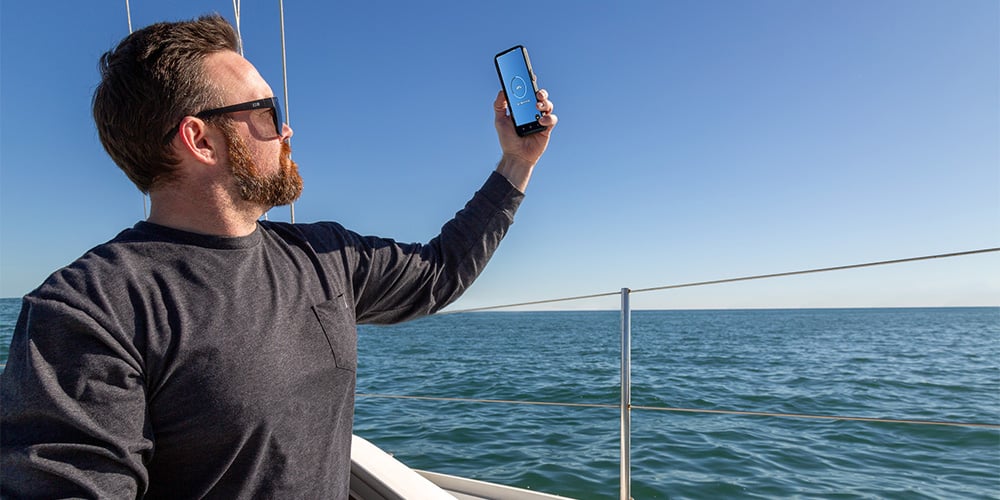
Why Starlink for Boaters is a Game-Changer
Getting a reliable internet connection in a harbor has always been hard enough, but once you venture offshore, highspeed internet options for boaters were basically non existent before Starlink came along. Mobile hotspots lose signal fast offshore and can be plagued by network congestion in a harbor making them unreliable particularly for high-bandwidth internet activites like streaming or video conferencing.
Likewise, traditional marine internet options can be very expensive and have much slower speeds compared to Starlink. Using a constellation of low-earth orbit satellites, Starlink blows the competition out of the water offering high-speed, low latency internet basically anywhere with a clear view of the sky. Plus, with unlimitied inland data and tiered offshore data plans for boaters, there's multiple options to suit your needs. We'll walk you through some simple steps to get Starlink installed on your boat.
Equipment You’ll Need
Unlike other internet companies that loan or rent you the equipment you need as long as you're subscribed, Starlink requires that you buy a Starlink setup kit before you can get connected. This is partly due to the month-to-month subscription plans that Starlink offers. There are no long-term contracts so you can activate and turn off your subscription as needed. Owning your equipment allows you to leave it installed on your boat even when you aren't paying for service.
Your Starlink kit includes the Starlink dish, power supply and cables. Not all kits include a router so make sure to order a router as well if the kit you choose doesn't have one. All kits come with a basic mount, but there are a lot of other mounting options specifically for boats that can make your install easier.
You'll also need an electrical inverter onboard and a big enough battery bank to deliver the power that the router and dish need. We'll jump into specific power needs later in the article.
Choosing the Right Spot for Your Dish
Your Starlink dish needs a clear view of the sky with as few obstructions as possible. Generally, the higher you can mount your Starlink dish on your boat, the better. Make sure that sails, masts, a T-Top or other obstructions won't block the line of sight between your Starlink dish and the sky
Make sure that your Starlink dish install location is close enough to run cables to where you plan to install the router as well. The dish is built to stand up to the elements, but the router needs to be protected in a cabin or other area where it won't be hit by spray.
You also need to take your power cable length into account. Check what length power cable your kit comes with and if the ideal dish installation location will be too far away for the cable to reach, order a longer Starlink power cable when you order your kit.
Powering Starlink at Sea
Your Starlink dish and router both need power to keep you connected. Here are some estimated power usage numbers to give you an idea of how much your equipment will conume:
Starlink Power Consumption
Active Power Usage: 45-75 Watts/Hour
Idle Power Usage: 20-30 Watts/Hour
Starlink High Performance Kit
Active Power Usage: 110-150 Watts/Hour
Idle Power Usage: 45 Watts/Hour
Use these power consumption estimates to work Starlink into your energy budget to ensure you have enough power to run your dish and router for as long as you need to stay connected. If you don't have an energy budget for your boat, you can make one with the doc in our Sizing Your House Battery Bank West Advisor article.
Don't think your battery bank has enough juice? Upgrade yours with our huge selection of deep cycle marine batteries.
Starlink Installation Process: Step-by-Step Guide
- Determine your dish and router installation locations. Find the place on your boat that has the cleareast view of the sky with as few obstructions such as mast, sails or T-Tops as possible. Your router will need to be installed near a power source, out of the elements with as little chance of getting sprayed as possible.
- Run all power cables to the dish and router and the ethernet cable from the dish to the router.
- Plug in the dish and the router to the power supply and the dish will automatically aquire the closest satellite in the constellation
- Download and install the Starlink app. Download for iPhone, Download for Android
- Use the app to subscribe to a service plan and set up your network info. You can check Starlink service plans for boaters here.
- Connect your device to the network and start browsing!
Getting the Best Connection While on the Move
For the best connection, make sure to keep the dish clear of obstructions as much as possible. If you're anchoring, make sure the sightline between the dish and the satellites wont be blocked by buildings, other boats or hills. Weather can also greatly impact your connection so if there is rain or heavy fog in the forecast, be prepared that your connection may be slower until the weather clears.
Keeping Your Starlink Setup Safe
Your Starlink dish is built to live outside. It will stand up to rain, snow and even heavy winds if it's installed and secured properly. If you're worried about your Starlink getting stolen off your boat, you can use security bolts to mount your Starlink. It won't stop determined thieves, but they're a good extra level of security.
Your router needs to be installed in a dry spot like your cabin or a storage locker to keep it safe from spray. If you're only option is a storage locker, make sure that the container doesn't impede the signal too much. While Wi-Fi signals are good at penetrating through drywall in a house, they have a tough time getting through metal.
FAQs About Starlink on Boats
Can Starlink work in all weather?
Starlink works best with clear skies and inclement weather like rain, heavy fog or snow can greatly impact speeds and connectivity.
What speeds should I expect from Starlink?
Starlink lists up to 220 MBPS download speed, up to 25 MBPS upload speed and less than 99 MS latency for marine service plans.
How does Starlink compare to traditional satellite systems?
Starlink is huge improvement over traiditional geostationary orbit satellite systems. Starlink uses a constellation of low-earth orbit satellites resulting in much faster speeds and much lower latency making it suitable for streaming, gaming, remote work and other high-bandwidth activites.
Conclusion: Ready to Set Sail with Starlink?
Starlink is a game changer for boaters everywhere. From live aboards that need a reliable connection dockside, to offshore boaters that want to stay connected even in remote waters, Starlink provides access to high-speed, low latency internet to them all. Buy your Starlink kit here and get started. If you feel like setting up Starlink on your boat is out of capabilities, use our Find a Pro tool to contact a pro installer in your area.
Browse All Marine Electronics & Navigation Gear
- Chartplotters, GPS units, radar systems, and integrated navigation displays
- Sonar, CHIRP, downscan, and fish-finding electronics
- Marine stereos, speakers, amplifiers, and audio accessories
- VHF radios, AIS, satellite communication equipment
- Autopilot systems and steering control components
- Wind, depth, speed, and multifunction instruments
- Marine binoculars for navigation and low-light use
- Thermal and night-vision devices for situational awareness
- Onboard monitoring and security systems
- Magnetic and electronic compasses
- Paper and electronic navigation charts
- Regional cruising and harbor guides
- Traditional navigation plotting tools


