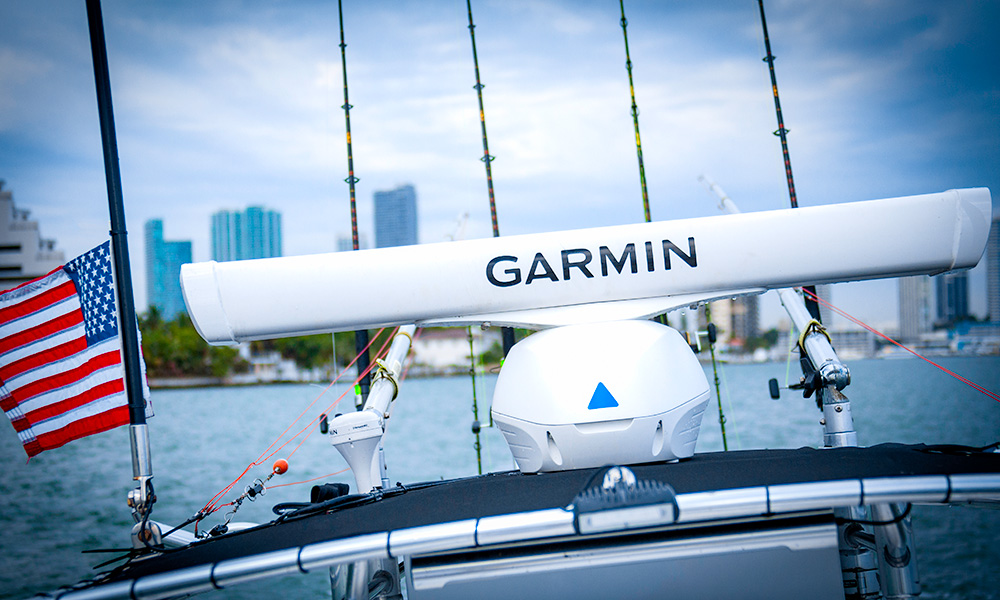
How to Interpret Marine Radar
Originally an acronym for “radio detection and ranging,” radar is a vital surveillance and navigation aid for safety on the water. But it can also provide a false sense of security for mariners who don’t know how to use it properly. Fortunately, today’s newer marine radars are far simpler to operate and interpret than the labor-intensive, less automated versions of earlier generations.
Thanks to software innovations that have greatly streamlined the process of adjusting settings and fine-tuning the picture on the display, the need for constant “tweaking” of the radar signal has mostly been eliminated. With “auto” mode algorithms doing most of the heavy lifting, mariners are now free to focus more on interpretation rather than manipulation. From tricky shoals and nasty weather to bird flocks, shorelines, channel buoys and fog-shrouded boats in your vicinity, knowing what you’re seeing on radar can help prevent serious mishaps, provide situational awareness and even suggest where to look for the best open-water fishing opportunities.
In this article, we’ll look at some fundamentals of how your boat radar works, using some of the newer Garmin radars as examples. We’ll also provide some tips to help you better interpret those blips and shapes you’re seeing as returns on the display.
- The Basics of Marine Radar
- Correlating Radar Returns to Images
- Bigger Antenna, Longer View
- Tracking Traffic with Radar
- Making the Most of Your Radar
The Basics of Marine Radar
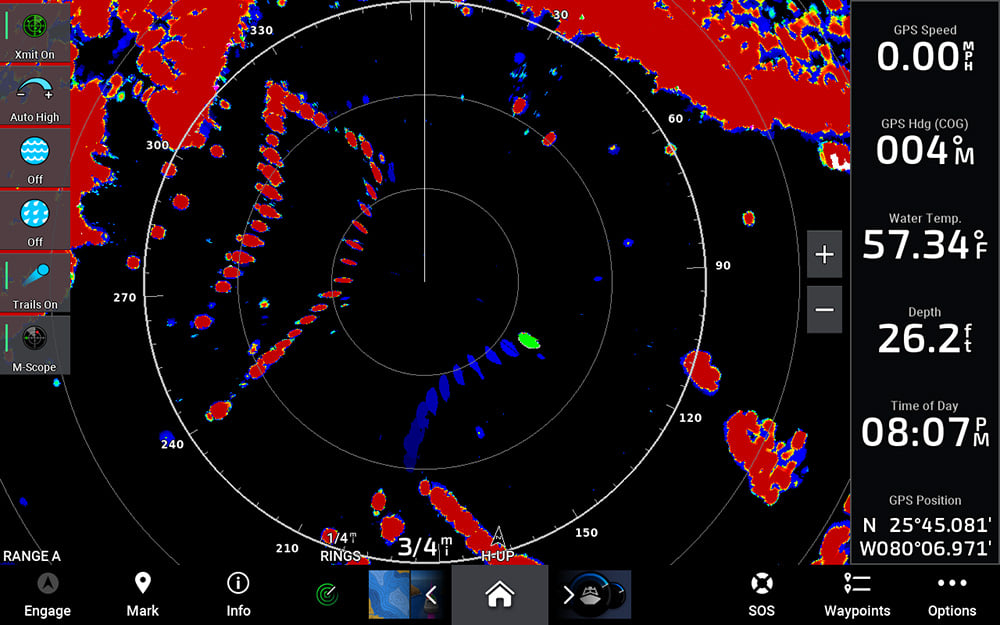
All radars work by emitting invisible electromagnetic radio waves that travel at the speed of light — roughly 186,000 miles per second — toward objects, landforms, weather cells and other features that show up as targets. Whether it’s an open-array or an enclosed radome, the radar antenna scans 360 degrees and shoots out rapid pulses of energy. When a target is hit by the transmitted signal, some of that energy is reflected back toward the radar, where it is received and amplified. Then, the range to a target can be determined by measuring the time a radar signal takes to travel out to the target and back. With the help of signal processing, the target location, shape, size, movement and other information can also be acquired from the echo signal and presented on a compatible multifunction display or chartplotter.
Correlating Radar Returns to Images
Once your radar has detected a target and determined its range and general location, a lot of sophisticated calculations go into shaping and sizing the returns that appear on your display. Closer targets and denser materials tend to return stronger pulse reflections than softer, more distant ones. Moving targets are harder to scale than stationary ones. Strong storm cells can block or “attenuate” other storm activity that’s behind them. Today’s radars, like those from Garmin, do a good job of weighing these factors when translating pulse returns into graphical blips on your display. But to interpret that data, you need to be aware of the processing challenges that can influence the size and intensity of targets your radar is displaying on screen so you can use that information most effectively when making piloting decisions.
For example, all things being equal, a more powerful radar can provide stronger returns from farther away. But power is not the only factor that affects what you ultimately see on screen. A technology called “pulse compression,” used on the Garmin Fantom™ lineup of solid-state radars (or sometimes called “matched filtering” on other competitive brands) enables the radar to achieve the benefits of longer range detection, while using lower peak power transmissions to deliver comparable levels of total radiated energy onto targets.
When it comes to focusing your radar’s energy, beam width is another key component. Concentrated narrow beam widths can pick out weaker targets — and provide more detailed target separation — than wider beam widths can. Because its energy is more diffused, a wider beam width won’t penetrate nearly as far as a more tightly focused beam will. Think spotlight versus floodlight.
Bigger Antenna, Longer View
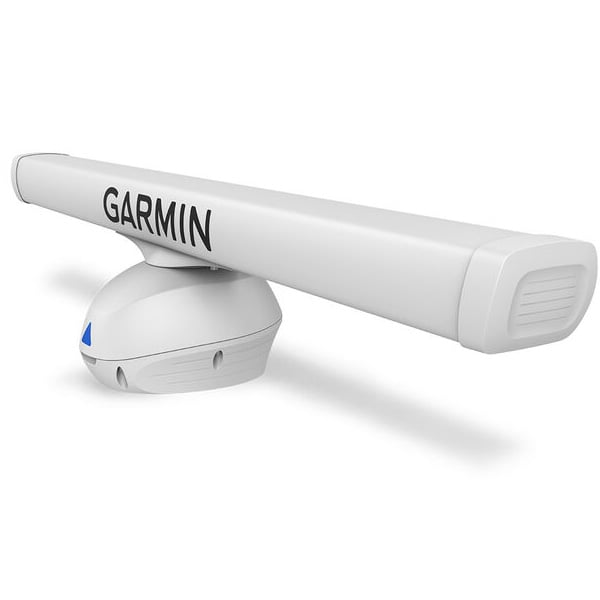
Open array radars, like this Garmin Fantom Series model, generally have larger attenas and offer a more focused beam.
Because antenna size correlates to the horizontal beam width the radar can produce, the larger open-array antennas typically offer a more focused beam. As a result, they can generate finer angular resolution to show details of shorelines and targets that may be located close together. Larger antennas also offer higher antenna gain, which means smaller targets can be detected at longer ranges. That’s why open-water anglers who use radar to search for flocks of birds (which can indicate feeding grounds with baitfish below) are partial to units exemplified by the previously mentioned Garmin Fantom line, which offers beam widths as low as 1.25 degrees for long-range bird flock detection.
But regardless of whether you’re running an open-array or dome radar antenna, a boost in gain can help when you’re looking for more distant, weaker-return targets. Many of today’s radars offer dynamic auto-gain features that automatically adjust levels to optimum settings for desired viewing. There’s even an auto bird gain feature designed to help fine-tune gain for those hard-to-detect distant bird flock returns.
Tracking Traffic with Radar
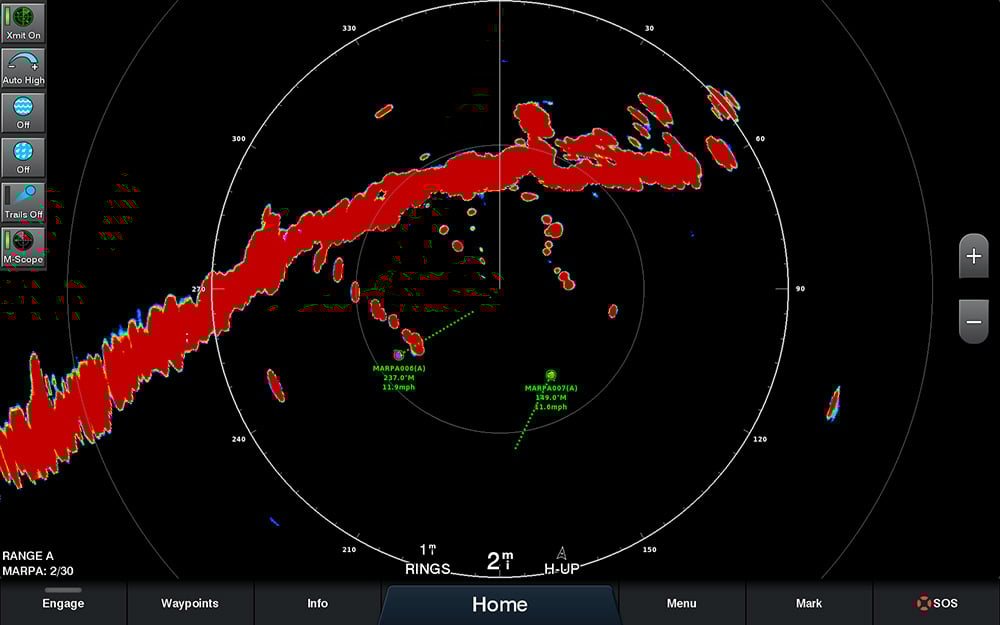
Maintaining safe separation from other boats in your vicinity is one of the most important jobs a marine radar can help you do — especially in low-visibility conditions. Most modern radar systems offer functionality that allows you to “tag” moving targets (i.e., boat traffic) and follow their progress on your display. Some of the more advanced radars add “echo trail” displays that will paint a historical track behind the target to make identifying its direction of travel much easier. For even quicker orientation, there are also units with Doppler-based technology that can color-code targets to indicate whether the boats are moving closer or farther away from you. Plus, if your unit is connected with an appropriate heading sensor, you can also take advantage of MARPA (mini-automatic radar plotting aid) tracking capabilities, which can display a target’s speed, bearing, closest point of approach and the time to its closest point of approach. If a target’s relative bearing stays constant and its range keeps diminishing, you can see that your odds of a collision are increasing. So altering your own course and/or speed would be the immediate indicated action — along with thanking your radar for helping you steer clear of trouble.
Making the Most of Your Radar
One of the best ways to gain proficiency in marine radar interpretation is to spend time practicing with it in broad daylight on your boat when you can see how the target blips on your display match up with the actual boats, markers and geographic features you’re seeing with your own eyes. Soon you’ll be able to recognize the shapes your radar is painting and know what’s out there before it ever comes into view. The more you look, the more you’ll learn — and the more value you’ll ultimately get from your marine radar.